Hides private details on a web page before you share your screen.
A Chrome extension (the Edge and Firefox versions use the same code). It blurs emails, phone numbers, card numbers, API keys and IBANs on the page you are about to show, and lets you blur any other part by clicking it.
Before and after
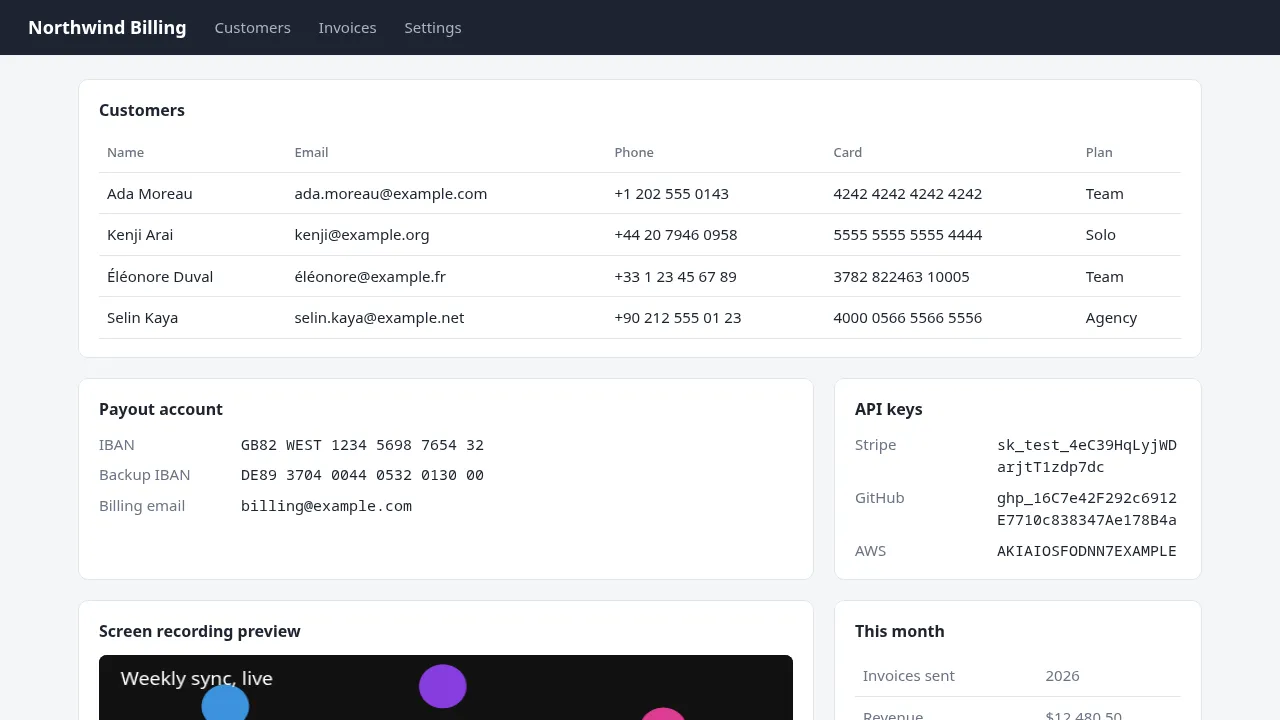
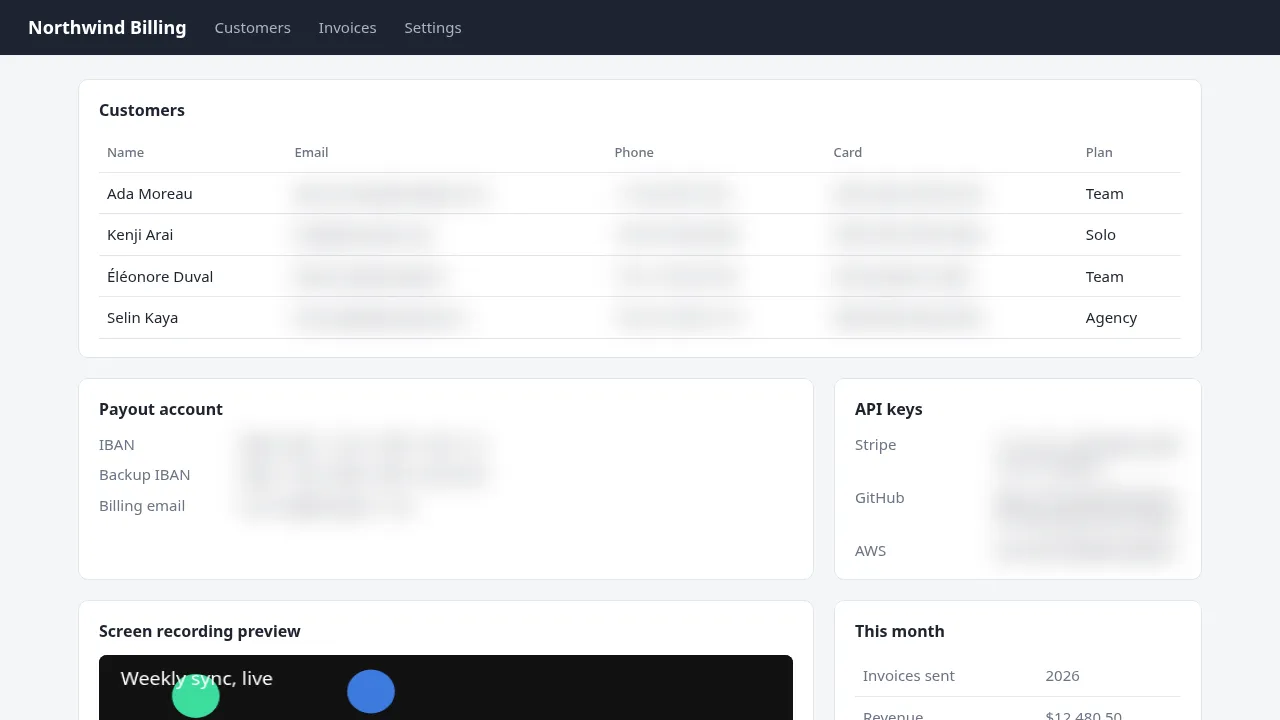
Real screenshots of the extension on a demo page (fake data). Names, plans and ordinary numbers such as "2026" and "$12,480.50" stay readable. Only the matches are blurred.
How you use it
Open the page
Go to the page you will share: a dashboard, an inbox, a billing screen.
Turn blur on
Click the Hushpane icon and switch on "Blur on this page", or press Alt+Shift+B. Your browser lets you change that shortcut.
Share your screen
The blur stays while the page changes. New emails or keys that appear are blurred too. Check your screen before you start sharing.
Free and Pro
Clicking to blur is free forever, with no account and no card. Everything else needs a Pro license.
Free
- Click any part of a page to blur it
- The on and off switch and the Alt+Shift+B shortcut
- Free blurs disappear when you reload or leave the page
Pro ($4.99 a month or $47 a year, 3 browsers) and Team ($97 a year, 10 browsers)
- Automatic blur of emails, phone numbers, card numbers, API keys and tokens, and IBANs, each one switchable
- Draw a blur box over any area, including video, images and canvas
- Blurs are saved per site and come back after a reload, on that page or on every page of the site
- Blur strength from 2 to 20 px (12 px by default)
- Hide the tab title and icon
- Saved blurs sync through your browser's own sync
The popup
Every control sits in one panel. On Free, Pro controls stay visible with a lock and the words "Pro". Nothing is hidden behind a second menu.
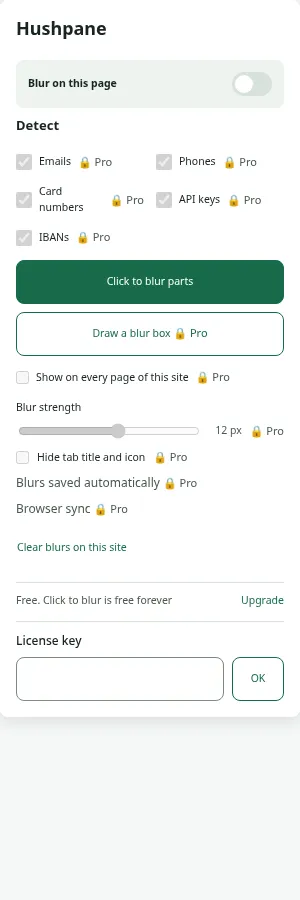
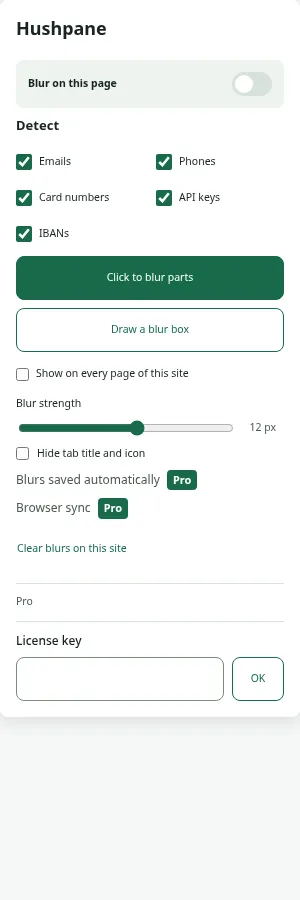
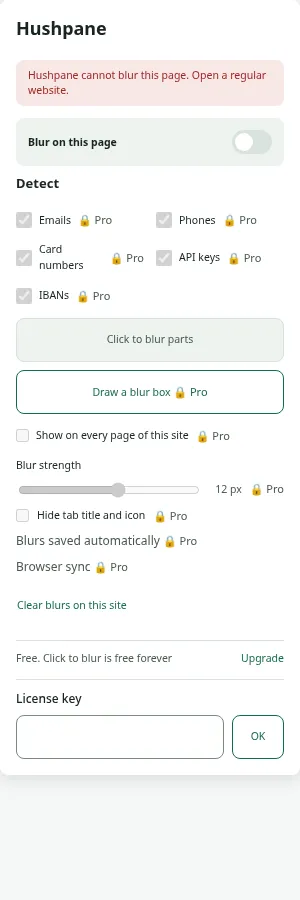
Blur what the detector cannot know about
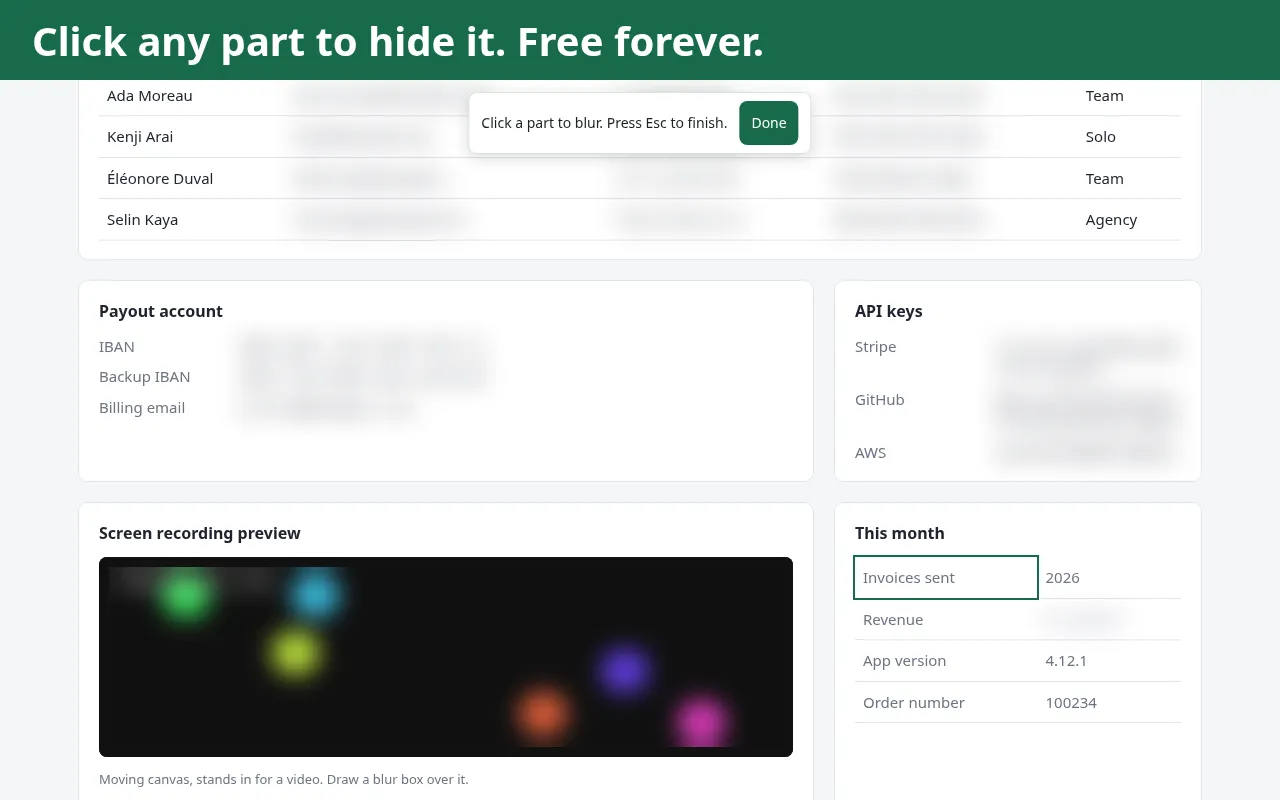
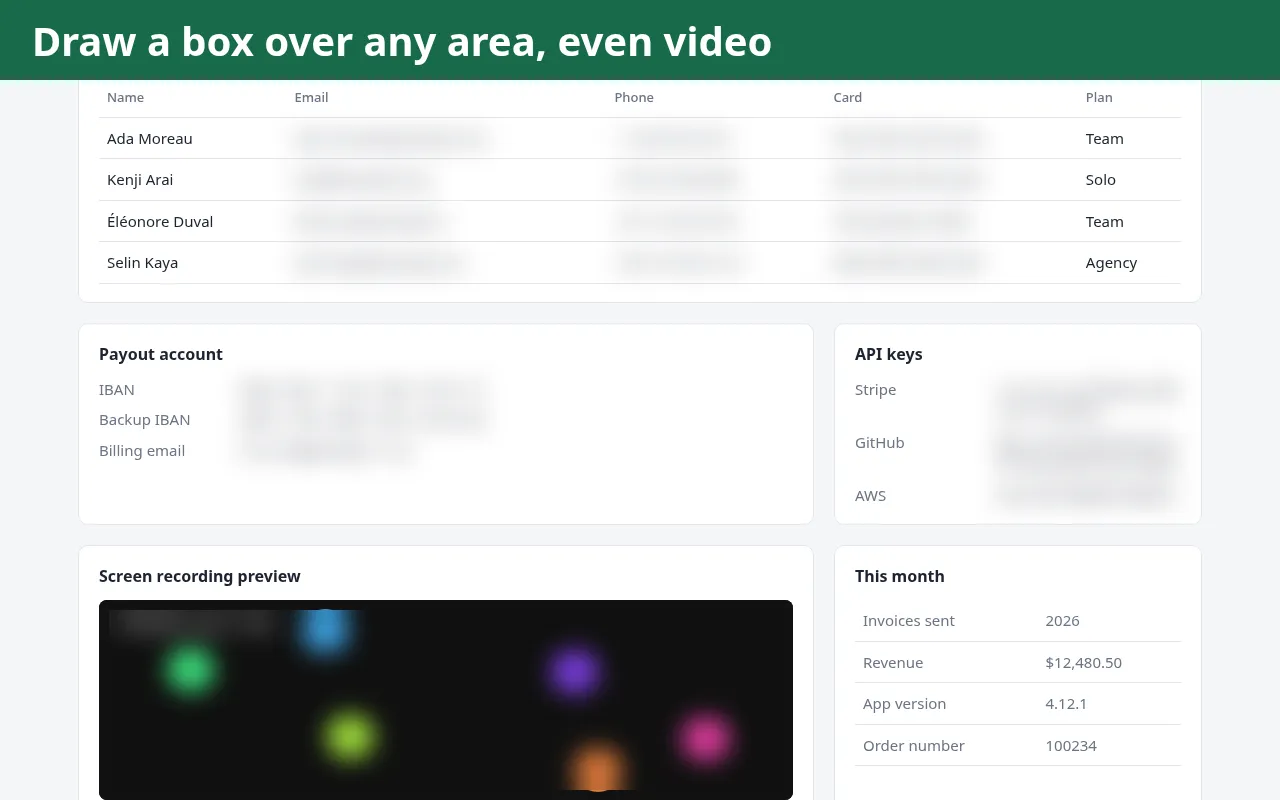
What it detects (Pro)
Detection runs on the text of the page and in form fields. It looks for these patterns and checks them, so random numbers stay readable.
| Type | How it decides |
|---|---|
| A normal address pattern, such as hello@example.com. Rejects broken ones like a..b@example.com. | |
| Phone | 7 to 15 digits with a leading + or phone punctuation, such as +90 212 555 12 34. Bare order numbers are not treated as phones. |
| Card number | 13 to 19 digits that pass the Luhn check (the checksum every card number has). |
| API key and token | Known key formats such as Stripe (sk_live_, sk_test_), GitHub (ghp_, github_pat_) and AWS, plus JWTs and long random-looking tokens. |
| IBAN | Country code and check digits, the exact length for that country, and the official mod-97 check. |
| Form fields | If a text, email, phone, search, URL, number or password field, or a text area, holds one of the above, the whole field is blurred. |
What it does not do
- Blur is a visual effect, not secure redaction. The original text is still in the page; anyone with the page itself can read it.
- Automatic detection cannot read text inside images, canvas, embedded frames or shadow roots. Draw a blur box over those.
- A value split across two pieces of page text may be missed.
- Tabs that were already open when you installed Hushpane need one reload.
Where your data goes
Page text is read only inside your browser and never stored or sent. There is no Hushpane account, server or analytics. The only network call is the license check with Polar, the payment provider.
After install
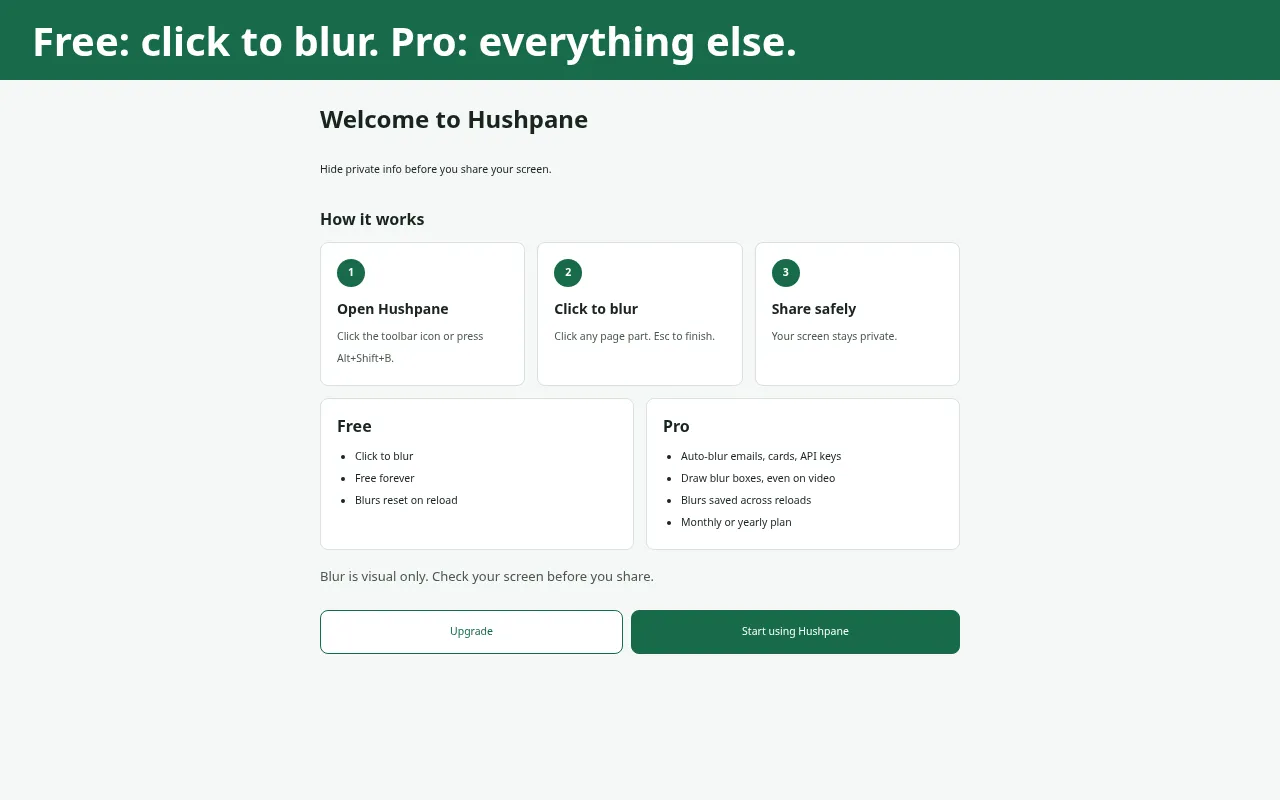
Installing opens a welcome page. It shows the three steps, what Free and Pro include, and the reminder that blur is visual only.
Buying happens on Polar's checkout. The license key arrives right after purchase. Paste it into "License key" in the popup and press OK.
Each key works on a set number of browsers. If you reach that limit, the popup says so and points you to Polar's customer portal, where you can remove an old browser.
If a license check fails because of a network problem, Pro keeps working. Pro stops only when Polar says the license is no longer active, or when you remove this browser in Polar's customer portal. Click to blur stays free either way.